
Location: Easy Scheduling > Settings > General
These settings control the default appointment behavior for your products.
Set all products as appointments
Enable this option to automatically treat all WooCommerce products as appointment products.
When enabled:
- all products use appointments automatically
- the Appointment option is no longer configurable per product
This is useful when your entire store is based on appointments or reservations.
Interval
Define the interval between available appointment times in minutes.
Example
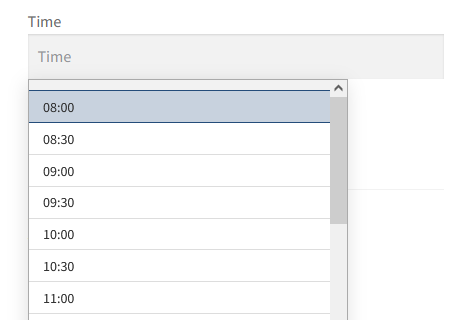
If the interval is set to 30 minutes, customers will be able to select times such as:
- 08:00
- 08:30
- 09:00
- 09:30
Smaller intervals provide more flexibility but also display more available times.
Opening & closing time
Define the default daily opening and closing hours.
These values determine the range of available appointment times shown to customers.
Example
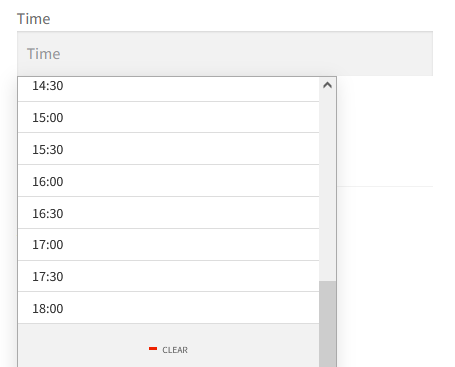
- Opening time:
08:00 - Closing time:
18:00
Available appointment times will only be generated within this range.
Disable date selection
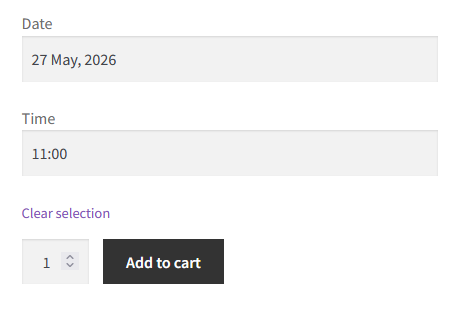
Enable this option to allow customers to select only a time without choosing a date.
This can be useful for businesses where appointments are always scheduled for a given day.
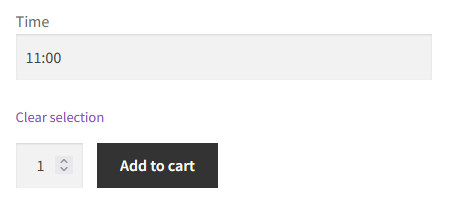
Important
If this option is enabled globally, date selection cannot be re-enabled at the product or variation level.
First & last available date
Limit how far in advance customers can book appointments.
Format: number of days relative to the current day.
Example
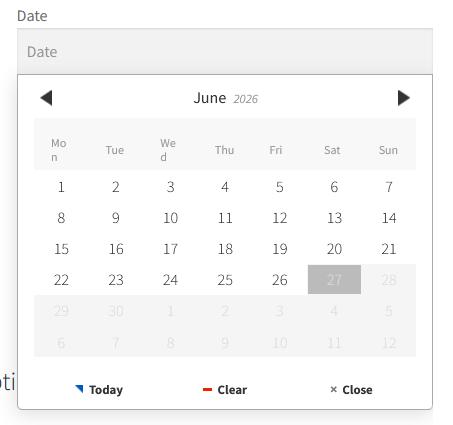
- First available date:
0 - Last available date:
30
Customers will be able to book appointments from today up to 30 days in advance.
Note
A value of 0 always includes the current day.
Minimum notice
Define the minimum delay required before booking an appointment on the current day, in minutes
This helps prevent last-minute appointments.
Example
If the minimum notice is set to 120, customers will only be able to book appointments at least 2 hours in advance.